



Add a picture to you POI
After the creation of a POI (1.Select POI - 2.Click on the map -3. Select Edit POI), you get the following option:
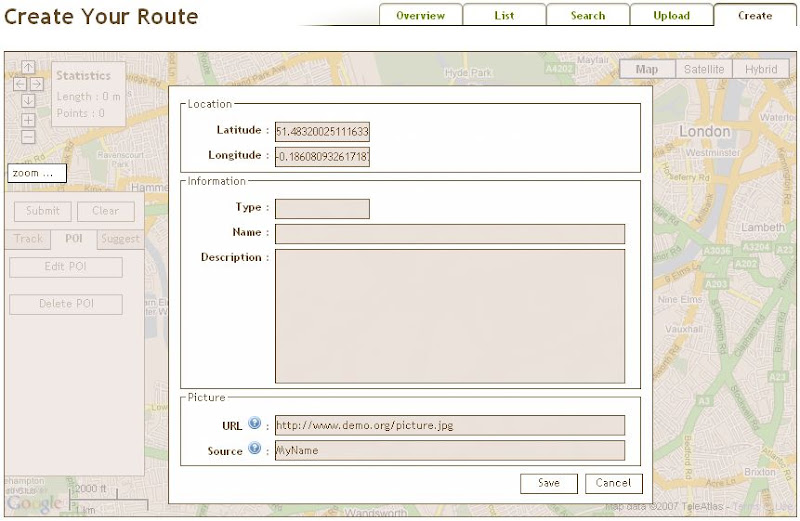
In the window next to URL, you can enter the URL-location of a picture. The image has to be on an Internetsite such as Flickr or Picasa. Make sure you have the rights to upload the picture or make sure there are no copyrights on the picture. In doubt, always add the source.
The picture-URL is something like http://website.name/picture.jpg.